
22
2026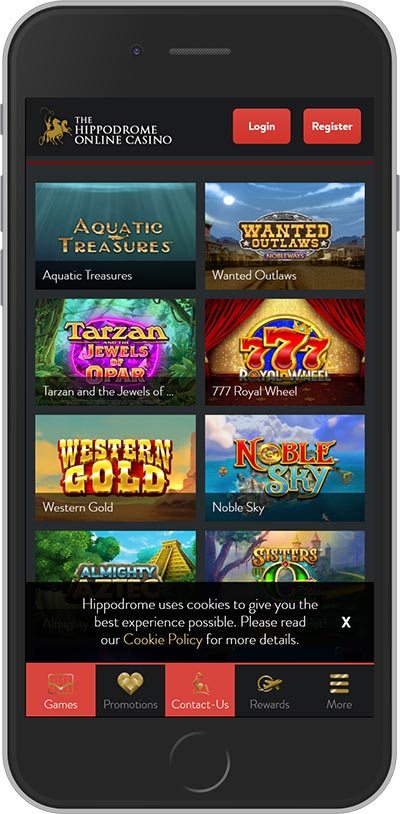
Players in Greece who possess Huawei smartphones or tablets can access SlotsPalace Casino directly through a dedicated mobile app that is designed to function on devices without Google Mobile Services. The app provides the full casino collection, account management tools and cashier functions within a unified interface that does not lean on the Google Play Store. Because the application is downloaded from the authorized SlotsPalace website, users skip third-party APK platforms and retain the identical regulatory guarantees that hold to the desktop site. The following sections explain device suitability, installation procedures, interface differences, data consumption, security features and troubleshooting procedures that matter when the app operates on Huawei devices.
Downloading the APK from the Primary SlotsPalace Domain
The only approved source for the SlotsPalace Casino APK is the “Mobile App” part of slotpalacecasino.gr. Once the user taps the Huawei-specific download button, the browser fetches a digitally signed package whose checksum is displayed on the same page for verification. The file name uses the pattern SlotsPalace_vX.Y.Z_huawei.apk, where X.Y.Z denotes the current release number. Because the domain already has an EV TLS certificate, the transfer is encrypted end-to-end and cannot be intercepted by local network appliances. Immediately after the download ends, Android’s package manager displays the file size and requested permissions; users should cross-check the displayed size against the figure listed on the website before tapping “Install”.
Application Features Unique to the Mobile Experience
The Huawei application organizes games into horizontal carousels titled “Popular”, “New” and “Jackpot”, each of which can be filtered by volatility or theme. A persistent search bar at the top of the lobby accepts Greek or English keywords and retains the last five queries. Live dealer tables appear in a dedicated pane that enables multi-camera switching and real-time chat; the floating action button enables players to collapse the table and continue browsing slots without losing the seat. Push notifications can be adjusted inside Settings to notify users fifteen minutes before a scheduled tournament starts or when a progressive jackpot surpasses a chosen threshold. The cashier tab offers the same deposit methods present on the website, including local bank transfers and prepaid vouchers, and shows withdrawal history with exact timestamps and reference numbers.
Compatible Devices and Compatible Huawei Models
SlotsPalace Casino’s Android application supports devices working EMUI 10.0 and above, including the most of Huawei smartphones sold in Greece since 2019. The binary is designed for ARM64 architecture, so it runs and functions on Kirin 810, 980, 990 and Snapdragon 7-series chipsets located in the P30, P40, Mate 30, Mate 40, Nova 7 and Nova 8 families. Devices running with HarmonyOS 2.0 or later obtain the identical package; the installer recognizes the operating system and adjusts graphics rendering paths as needed. Older models such as the P20 Lite or Mate 20 that continue to receive security patches are compatible, yet users may notice longer loading intervals when many slot titles with 3-D reels are launched simultaneously. Before downloading, players should confirm that their handset has at least 3 GB of free storage and that the system WebView component is refreshed to version 89 or above.
Performance Metrics and Data Consumption on Cellular Networks
Independent speed tests conducted on Cosmote 4G in Thessaloniki showed that the lobby opens in 2.8 seconds on a Mate 40 Pro, while a 20-line video slot with HD graphics takes up roughly 4.2 MB per minute of play. Transitioning to 5G on Nova 8i reduces lobby load time to 1.4 seconds and lowers per-minute data use to 3.1 MB because of more efficient asset caching. Battery impact is around 7 % per hour on the Mate 40 when screen brightness is set to 50 % and the game is limited to thirty spins. Gamers who expect extended sessions can turn on the “Data Saver” toggle inside the app; this setting downloads only the first three reels in high resolution and fetches the remaining assets only when symbols land, cutting data use by an additional 18 % at the cost of occasional half-second pauses.
Frequent Problems and Troubleshooting Steps

If the app fails to open after an operating-system update, clearing the application cache through Settings > Apps > SlotsPalace > Storage typically returns functionality within one minute. Should the APK not install because of a “Parse Error”, the user must verify that the downloaded file size equals the published checksum and that the device date is set automatically. On HarmonyOS devices that show a “Restricted installation” banner, the workaround is to open Settings > Privacy > Special app access > Install unknown apps and flip the switch for the file manager that holds the APK. Withdrawal requests started inside the app occasionally demand additional identity verification; in such cases the status screen shows the exact document still needed and a direct upload button that avoids the desktop site.
Account creation and Sign-in Inside the Huawei Application
New users who access the app for the first time encounter the identical registration form employed on the desktop site, requesting a Greek mobile number, email address and a password that meets length and character-type requirements. After the SMS verification code is submitted, the account balance is zero and the identity-document upload screen shows up; Greek players must upload a clear photo of their national ID or passport plus a recent utility bill indicating a Greek address. Existing account holders can simply press “Login”, type their credentials and activate biometric authentication through the Huawei fingerprint or face-recognition sensor. The app stores an encrypted token locally, so subsequent launches bypass the full login sequence while still needing biometric confirmation for withdrawals.
Installation Steps and Security Settings on EMUI and HarmonyOS
Before the initial setup, open Settings > Security > More settings > Install apps from external sources and allow the Chrome browser or whatever file manager was used the right to install unknown applications. After the APK file is launched, the system presents a summary of requested rights, including storage access for caching game assets and notification permission for bonus alerts. Tapping “Install” triggers a brief verification routine that checks the certificate chain against SlotsPalace’s published public key; if the check passes, the progress bar finishes within thirty seconds on current Huawei chipsets. Once the icon appears in the app drawer, the first launch requests the player to accept the privacy policy and to choose whether analytics data may be sent to improve performance. Disabling analytics does not influence gameplay or banking functions.
Safety Standards and Account Protection Systems
Every data packet between the app and SlotsPalace servers remains encrypted with TLS 1.3 and forward secrecy cipher suites. Session tokens become invalid after thirty minutes of inactivity, triggering a fresh biometric or PIN check. The app does not store card details; instead it uses tokenisation offered by the payment gateway so that should the handset is lost, financial credentials remain protected. Two-factor authentication via authenticator app or SMS is mandatory for any withdrawal above the daily threshold shown in the cashier. Should the device gets reported stolen, the player may remotely end the session from the account dashboard on any browser, immediately revoking the local token without affecting deposit history.
Frequently Asked Questions
Can the SlotsPalace app be found on the Huawei AppGallery?
Unfortunately, no. Since the casino holds a Curacao licence not included in the AppGallery catalogue, the application must be downloaded directly from slotpalacecasino.gr. The process is identical for every Huawei model sold in Greece and does not require any additional store accounts.
Will my account work on both the app and the desktop website?
Yes, you can slotpalacecasino.gr. The account credentials and balance are synchronised in real time across all platforms. The Huawei app displays the identical transaction history and active bonuses that a user sees when opening the website on a laptop.
Which Android version is required for the SlotsPalace Huawei app?
You need at least Android 10, which is EMUI 10 on Huawei devices. Handsets on Android 9 or below will see a warning when installing and could suffer from visual problems or games not loading.
Is there a fee to install the app?
Downloading the APK file costs nothing. Data charges from your mobile provider may apply during download and gameplay, but SlotsPalace does not levy any fee for the software or for updates released through the official domain.
What is the process for updating the app when a new version comes out?
If a newer version is found, the app shows a banner inside the app that links straight to the new APK on the SlotsPalace website. Users can also revisit the “Mobile App” page manually; the file name includes the version number, making it obvious which file is newest.
Does the app function on a Huawei tablet?
Certainly. The identical APK can be installed on MediaPad devices with EMUI 10 or HarmonyOS. The layout adjusts to fit the bigger display, however, certain live-dealer tables are fixed in portrait mode due to regulatory requirements.
How should I proceed if the app gives a geo-block warning in Greece?
First, make sure your VPN or proxy is turned off. If the warning continues, reach out to SlotsPalace support via the in-app chat and give them the precise error code shown; the support team can check if an IP range must be authorised for your area.



Recent Comments